Removing a Patient Keyword
If a patient does not have a keyword and one was entered in error in the Patient Folder, it can be removed. However, Patient Keywords can only be removed locally; the patient must contact Health Insurance BC (HIBC) to remove a keyword from the EHR. For more information, see Set a protective word for your PharmaNet record - Province of British Columbia.
 Role Type Restrictions
Only specific role types are allowed to enter, update, or remove Patient Keywords. These include:
-
Pharmacist
-
Pharmacy Manager
-
Relief Pharmacist
-
Pharmacy Student
For all other role types, the Patient Keyword field is disabled.
To remove a Patient Keyword:
-
Open the Patient Folder.
-
Select the Programs tab.
-
Clear the text in the Patient Keyword field.
-
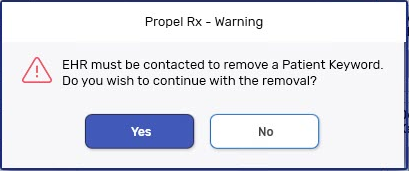
A prompt appears to confirm the removal. Select Yes.
-
Select Save.
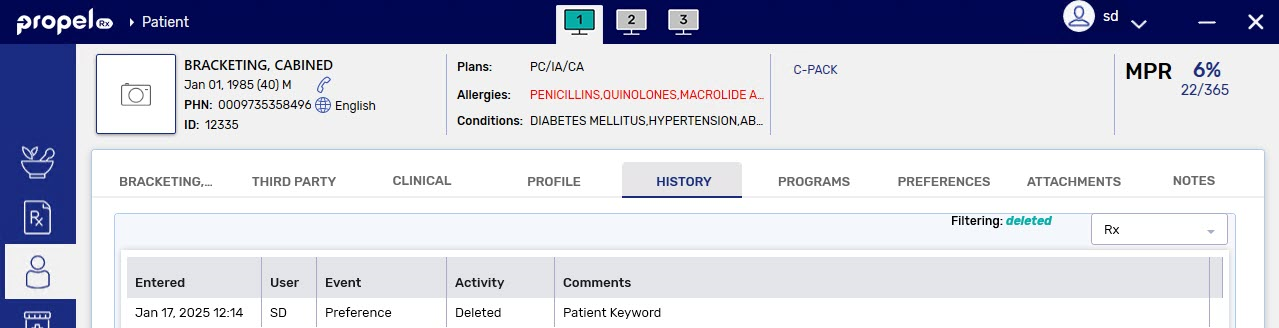
A record is added to the Patient Folder History tab to document that the keyword was removed.